Currency and name
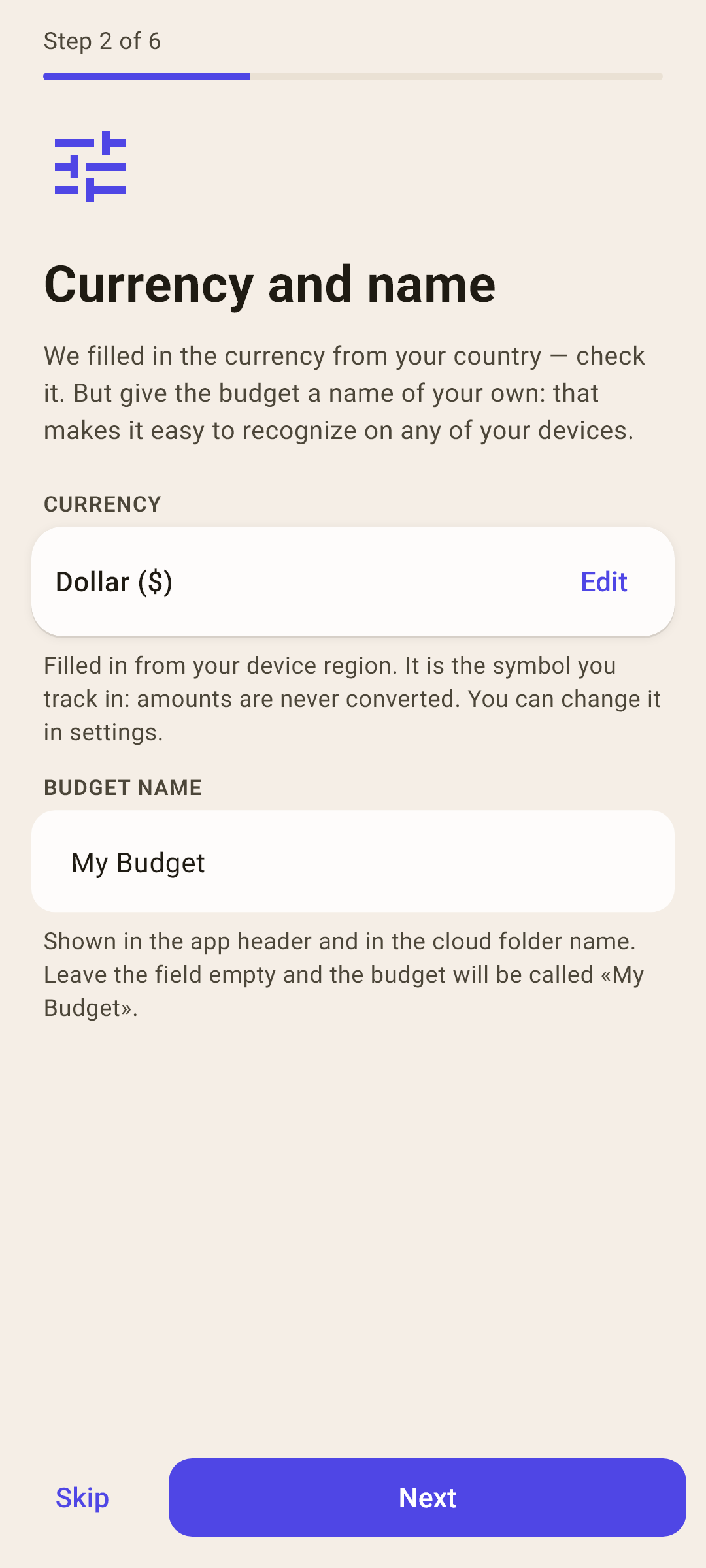
We filled in the currency from your country — check it. But give the budget a name of your own: that makes it easy to recognize on any of your devices.
 envelopes.
Android / About five minutes. You can skip any step.
Use the same steps as the app’s built-in welcome guide. Start with today’s balances, then make a plan for the money you already have.
We filled in the currency from your country — check it. But give the budget a name of your own: that makes it easy to recognize on any of your devices.
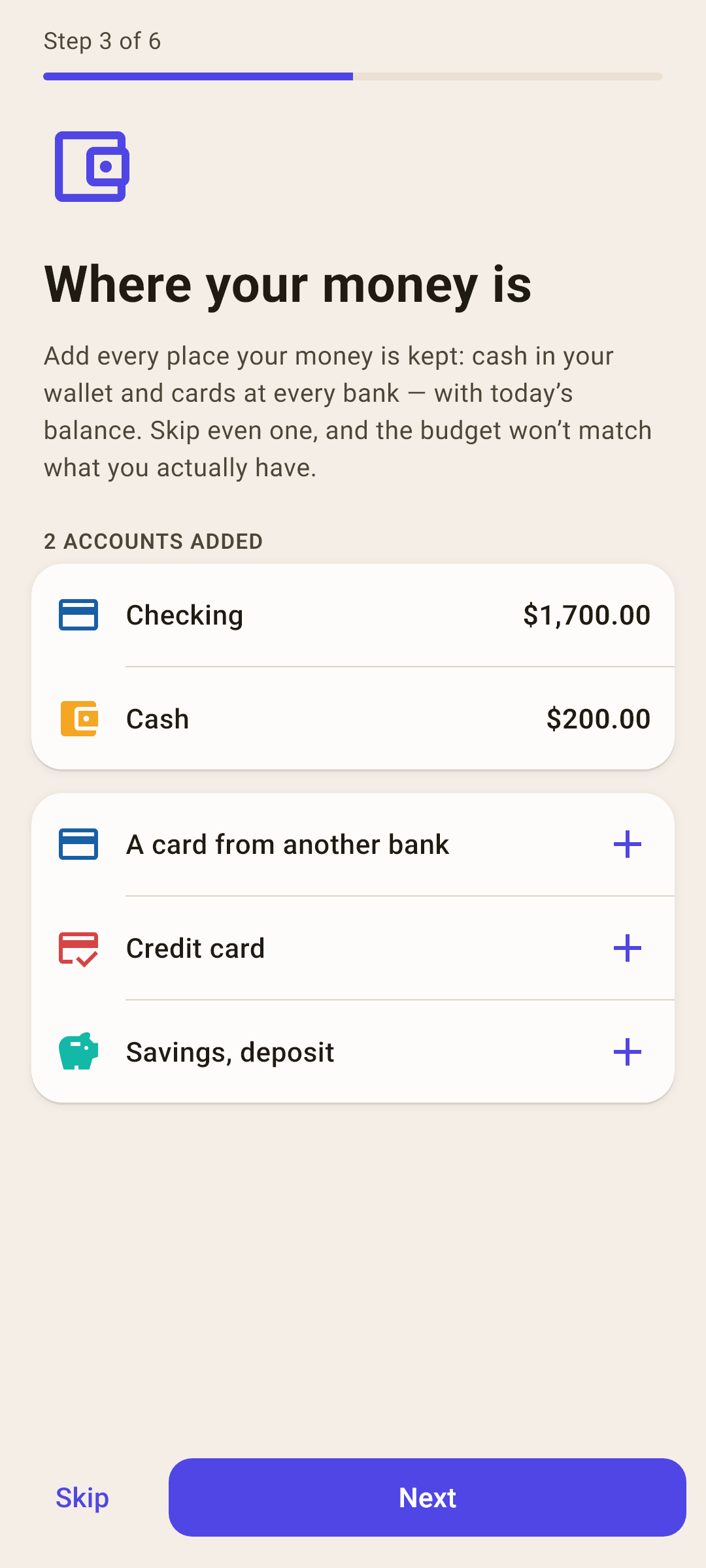
Add every place your money is kept: cash in your wallet and cards at every bank — with today’s balance. Skip even one, and the budget won’t match what you actually have.
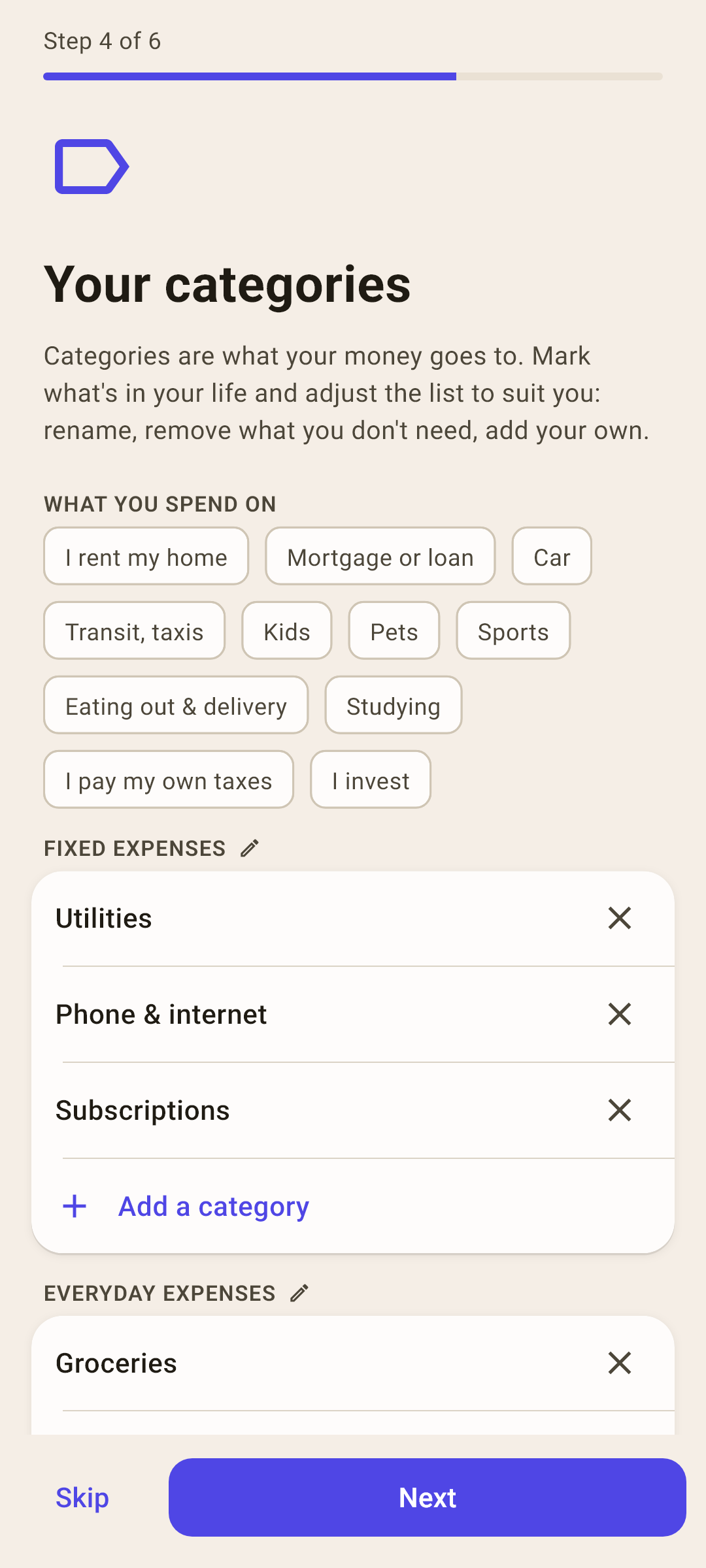
Categories are what your money goes to. Mark what's in your life and adjust the list to suit you: rename, remove what you don't need, add your own.
Decide how much of this money goes to each category this month: tap the amount next to a category. Start with the essentials — the rest can be assigned later on the «Budget» screen.
The main rule: assign money to categories until «unassigned» reaches zero. Then every amount in $ has a job, and you can see what is safe to spend.
Try the envelope method ↗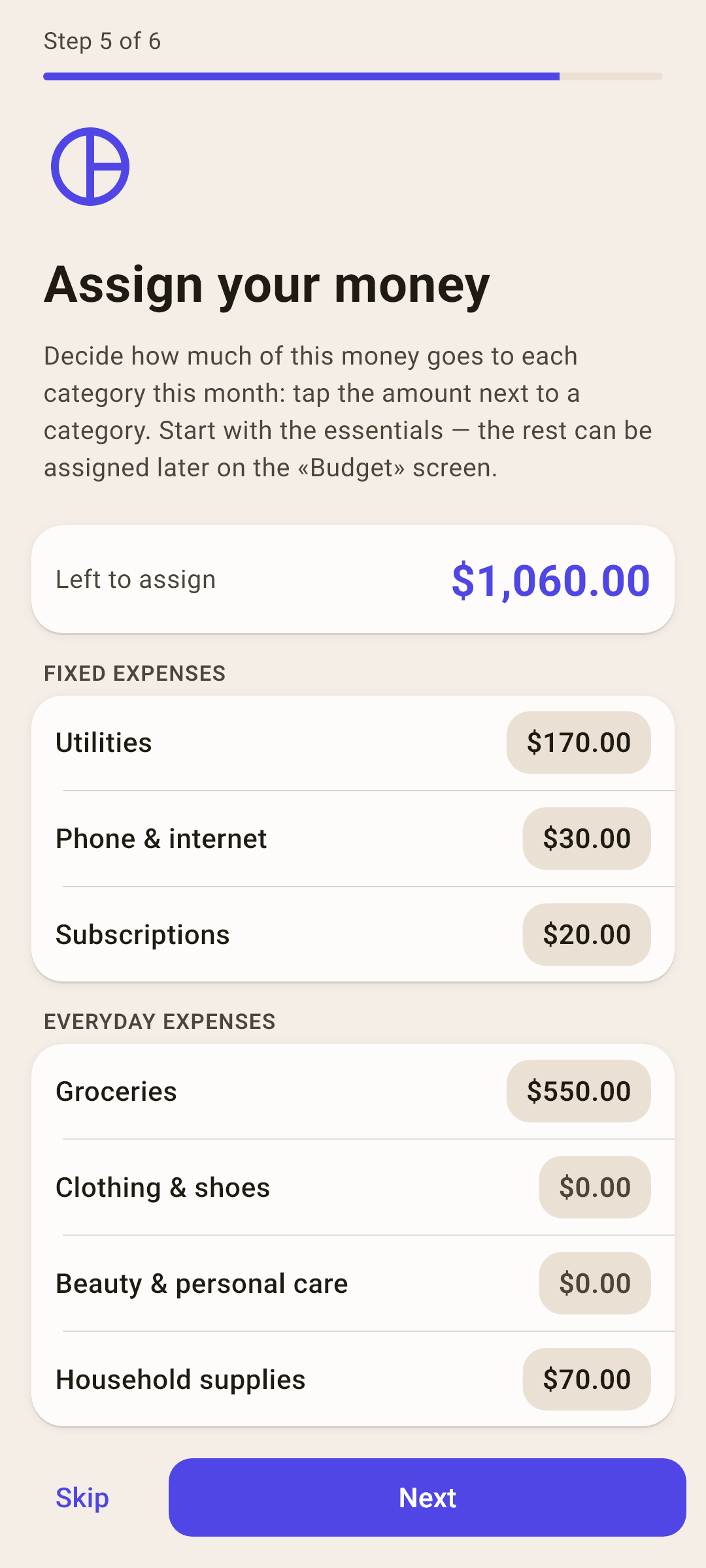
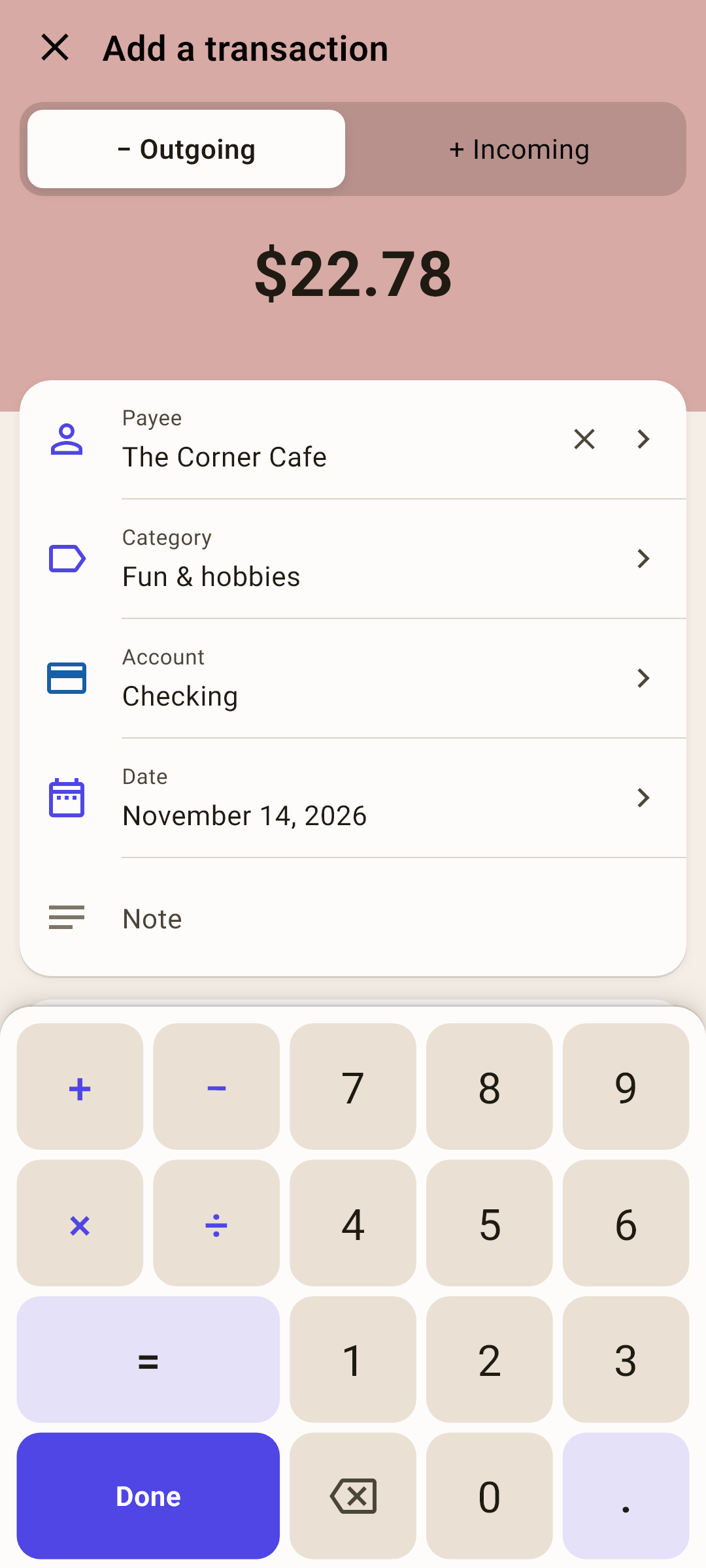
A transaction is one purchase or one income. Add your first transaction. After that, the app shows where your money goes.
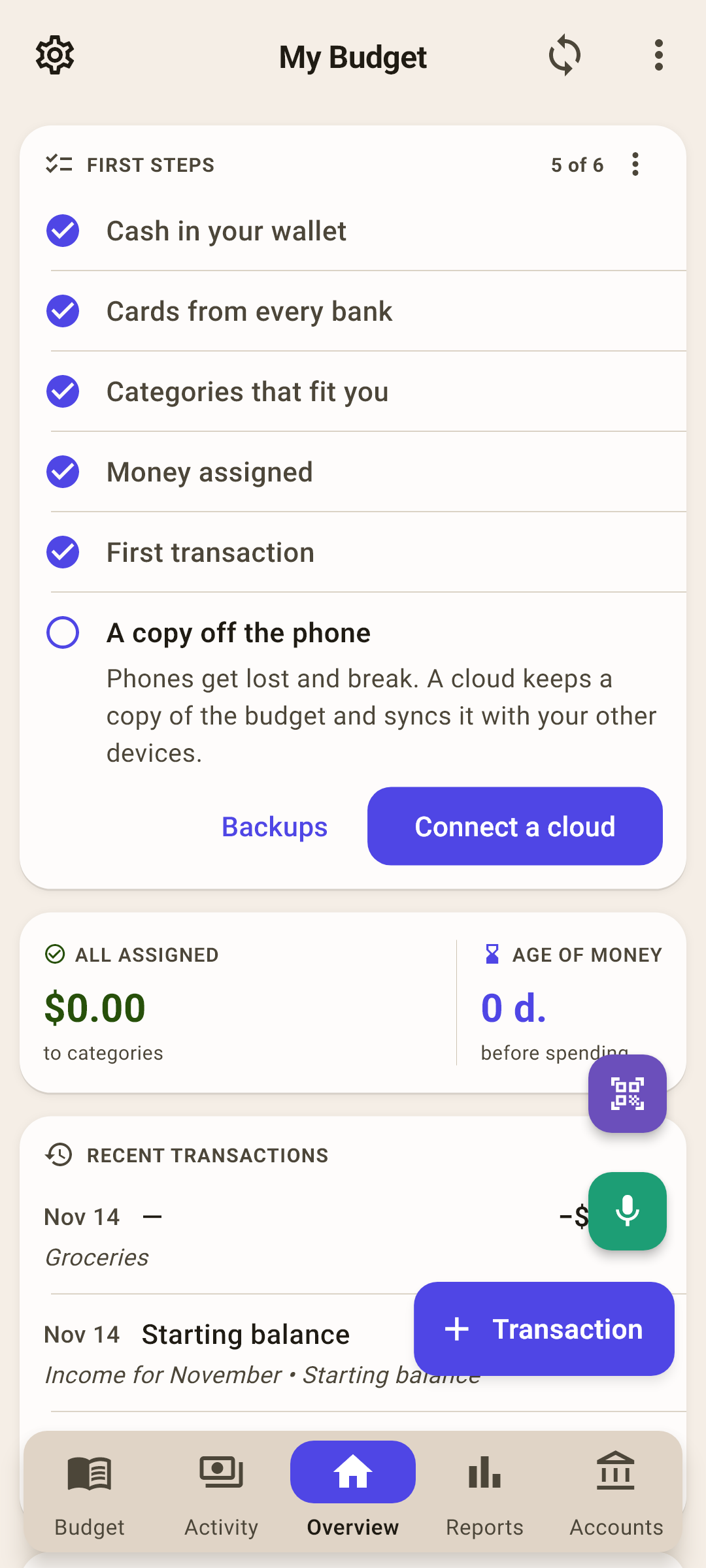
Phones get lost and break. A cloud keeps a copy of the budget and syncs it with your other devices.
Manual and automatic copies to the device, to a file, or to the cloud. Cloud copies can be protected with a password (AES-GCM).
 Explore the app ↗